
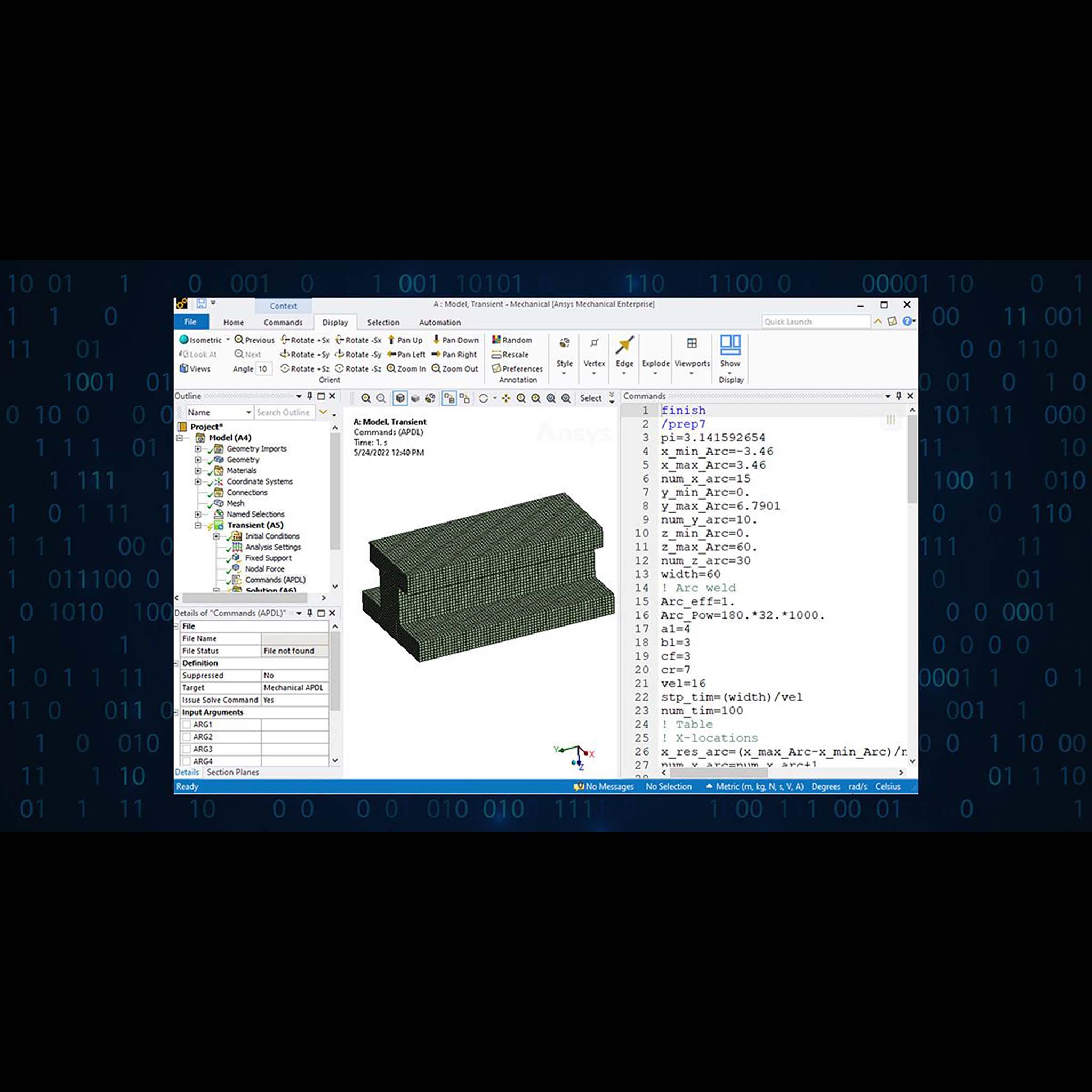
FEA 203 - Ansys Mechanical Workbench Commands Training
Advanced Level Training - 2 days (16 hours)
About Ansys Mechanical Workbench Commands Training by CADIT
Comprehensive introduction to integrating APDL commands within Ansys Mechanical Workbench to script and automate simulation workflows. Covers using APDL at every stage of simulation and design development, automating repetitive tasks, and enhancing simulation control.
Perfect for Ansys Mechanical users who want scripting-level control and automation.
Learning Outcomes
By the end of this training, you will be able to:
1. Learn how to launch, load, and post-process model files via commands in Ansys Workbench.
2. Gain access to advanced features that may not be immediately available through the Mechanical user interface (UI).
3. Take full advantage of advanced element types and solver technologies.
4. Leverage newly introduced ANSYS features, often available first as commands.
Course Content
- Understanding command contents:
- Setting up Parameters Scalar (*SET), Vector parameter(*DIM)
- Selection logics for entities:
- (ASEL,VSEl,LSEL,ESEL) Locate and create a component: CM,CMSEL
- Saving and resuming files:/SAVE - Setting up Attributes to the model via commands
- Define Engineering data: MP
- Selecting the type of behaviour the model exhibits
- Define section properties and elements
- List up the elemental & nodal coordinates - Build A finite element model using Ansys APDL commands in Workbench
- Setting up element attributes & DOF
- Boundary conditions & loads - Post-processing the Finite Element model:
- Solve & extract result using commands.
- Result verification & justification. - Programming your way into Ansys workbench
- *GET Command-Retrieving and storing in user-parameter
- *VGET command-Retrieving and storing info in Array.
- *IF Command- A condition-based command
- *ELSEIF/*ELSE/*ENDIF- Concluding the condition with next line of action
- *DO loop - *ENDDO- Start and end of looping action
Related Ansys Products
- Ansys Mechanical: Structural FEA Software
Related Ansys Courses
- FEA 101 - Ansys Mechanical Introduction Training
- FEA 102 - Ansys Mechanical Optimization Introduction Training
- FEA 103 - Ansys Sherlock Introduction Training
- FEA 104 - Ansys Mechanical Additive Manufacturing Introduction Training
- FEA 201 - Ansys Workbench & APDL Advanced Structural & Dynamic Simulation Training
- FEA 202 - Ansys LS-DYNA Advanced Explicit Dynamics Training
- FEA 204 - Ansys Mechanical Fatigue & Material Behaviour Training
- FEA 205 - Ansys Mechanical Thermo-Structural Coupling & Command Objects Training
- FEA 206 - Ansys Mechanical Electronics Simulation Applications Training
- FEA 207 - Ansys ACP Complete Composites Solution Training
- FEA 208 - Ansys AQWA Ocean Loading & Hydrodynamic Mapping Training
- FEA 209 - Ansys AQWA Floating, Lifting, Launch & Offload Analysis Training
See all CADIT training courses
HRDCorp Claimable Ansys Mechanical course
Certificate of completion provided. If based in Malaysia, this course can be reimbursed with the HRDCorp Program through our certified trainers.

Product Line Expertise
A channel partner undergoes rigorous training and testing to receive a product line certification.
CADIT is proud to provide certified service to our customers in 5 Ansys Product Line Categories.
We provide several subsidized specialty training options & quality service for customers under our care.
